Watch “7 Surprising Ways to Speed Up Fat Burning (AND LOSE WEIGHT FASTER)” on YouTube
Naughty IP Address List
Here is a list of IP addresses of some bad actors I would block for more than 1 reasons.
Reported elsewhere as peddling malicious email and hacking activates
You can double check these addresses at AbuseIPDB
144.126.216.120
212.227.15.4
213.165.67.124
37.49.225.10
109.237.103.13
192.210.236.179
212.192.246.191
5.188.206.195
5.188.206.196
143.244.145.229
103.147.184.90
109.248.144.12
161.97.155.140
131.109.147.221
194.25.134.18
220.121.2.33
45.95.168.240
146.71.85.2
194.154.212.5
50.229.62.90
46.101.120.93
82.165.159.12
212.227.15.18
106.75.51.95
185.94.252.105
54.240.27.231
45.138.72.172
184.95.46.82
88.99.135.51
165.22.184.192
64.29.147.44
165.22.180.113
23.254.203.170
104.128.188.53
138.68.188.123
138.68.80.175
74.208.4.197
143.110.215.23
138.68.46.155
37.48.106.82
185.222.57.250
23.254.228.56
178.62.107.170
134.122.36.11
198.46.93.78
157.230.189.1
209.126.0.92
64.78.48.253
165.227.64.59
104.244.127.122
115.70.220.55
108.167.189.25
192.185.2.249
119.92.206.214
212.70.149.89
87.246.7.229
87.246.7.246
141.98.10.220
159.223.48.112
179.97.17.195
5.188.206.203
5.188.206.194
118.216.171.224
5.188.206.199
5.188.206.197
121.146.114.57
144.126.216.120
212.227.15.4
213.165.67.124
109.248.144.12
161.97.155.140
131.109.147.221
194.25.134.18
220.121.2.33
45.95.168.240
146.71.85.2
194.154.212.5
50.229.62.90
46.101.120.93
82.165.159.12
212.227.15.18
106.75.51.95
185.94.252.105
54.240.27.231
45.138.72.172
184.95.46.82
88.99.135.51
165.22.184.192
64.29.147.44
165.22.180.113
23.254.203.170
104.128.188.53
138.68.188.123
138.68.80.175
74.208.4.197
143.110.215.23
138.68.46.155
37.48.106.82
185.222.57.250
23.254.228.56
178.62.107.170
134.122.36.11
198.46.93.78
157.230.189.1
209.126.0.92
64.78.48.253
165.227.64.59
104.244.127.122
115.70.220.55
108.167.189.25
192.185.2.249
119.92.206.214
212.70.149.89
87.246.7.229
87.246.7.246
141.98.10.220
159.223.48.112
179.97.17.195
5.188.206.203
5.188.206.194
118.216.171.224
5.188.206.199
5.188.206.197
121.146.114.57
I will update as frequently as possibly
Last Updated December 19, 2021
Remove Office 365 nag
Update the registry to remove the Microsoft 365 activation prompt
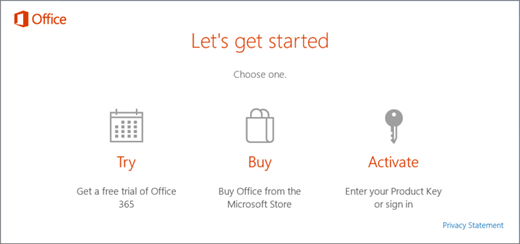
Important: This task contains steps that tell you how to modify the registry. However, serious problems might occur if you modify the registry incorrectly. Therefore, make sure that you follow these steps carefully. For added protection, back up the registry before you modify it. Then, you can restore the registry if a problem occurs.
- Close the activation window and all Office apps.
 Right-click the Start button on the lower-left corner of your screen, and select Run.
- Type regedit, and then press Enter. Select Yes when prompted to open the Registry Editor.
- On the left side of the Registry Editor, under Computer, navigate to the following key in the registry:HKEY_LOCAL_MACHINE\SOFTWARE\Wow6432Node\Microsoft\Office\16.0\Common\OEM
- Right click the OEM value and click File>Export.
- Save the key.
- After the key is backed up, select Edit>Delete.
- Repeat steps 3-6 for the following key:HKEY_LOCAL_MACHINE\SOFTWARE\Microsoft\Office\16.0\Common\OEM
- Close the Registry Editor and start Office again.
Full description on Microsoft link below
Disable Windows 10 Local search from Bing and Cortana
Windows 10 registry hack appears to be the only 100% fix for this issue and it also disconnects Bing and Cortana online services from Windows 10 search. As detailed on Reddit, you need to perform the following steps:
- Run Regedit.exe
- Navigate to HKEY_CURRENT_USER\SOFTWARE\Microsoft\Windows\CurrentVersion\Search
- Look for ‘BingSearchEnabled’, if you don’t see it you will need to create it (right-click in a blank area, pick ‘New DWORD’ 32 bit. Type in ‘BingSearchEnabled’
- Open BingSearchEnabled, set it to 0, press OK.
- Look for ‘CortanaConsent’, again create it if you don’t have it using the method above. Also set it to 0.
- Reboot.
Amazon Deals
ClipGrab : Youtube downloader
https://clipgrab.org/
Retrieve stuff
How to manually Uninstall a windows update
c:\windows\system32\wbem\wmic.exe qfe GET HOTFIXID | find “3102429”
c:\windows\system32\wusa.exe /uninstall /kb:3102429 /norestart
display pk’s
How to force logoff from command line?
C:\Documents and Settings\lu>query user
USERNAME SESSIONNAME ID STATE IDLE TIME LOGON TIME
jim 1 Disc none 28/01/2015 02:1
9 p.m.
> lu rdp-tcp#54 2 Active . 01/03/2015 11:0
6 a.m.
C:\Documents and Settings\lu>logoff 1
C:\Documents and Settings\lu>query user
USERNAME SESSIONNAME ID STATE IDLE TIME LOGON TIME
> lu rdp-tcp#54 2 Active . 01/03/2015 11:0
How To Boot Into Safe Mode On Windows 8 or 10 (The Easy Way)
http://www.howtogeek.com/107511/how-to-boot-into-safe-mode-on-windows-8-the-easy-way/
The new way to enter safe mode
SHIFT-F8
Fix Windows corruption errors by using the DISM or System Update Readiness tool
Fix server 2012 failing to update issues.
 LuExplainsIT